Define automated interface configuration policies for consistent external connectivity.
Create interface policies that define standard configuration parameters for external connectivity links, ensuring consistency and reducing manual configuration errors across your external fabric.
Interface policies enable automated, repeatable configuration deployment to external links, making it easier to scale external connectivity while maintaining compliance with design standards.
Navigate to Configuration Policies to launch the Create Policies wizard and being creating your BGP network statement policy:
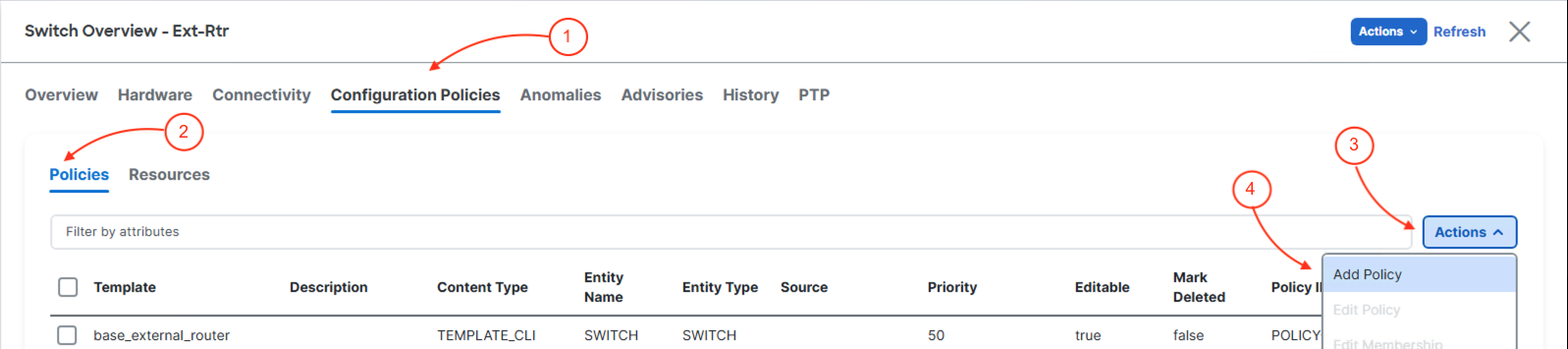
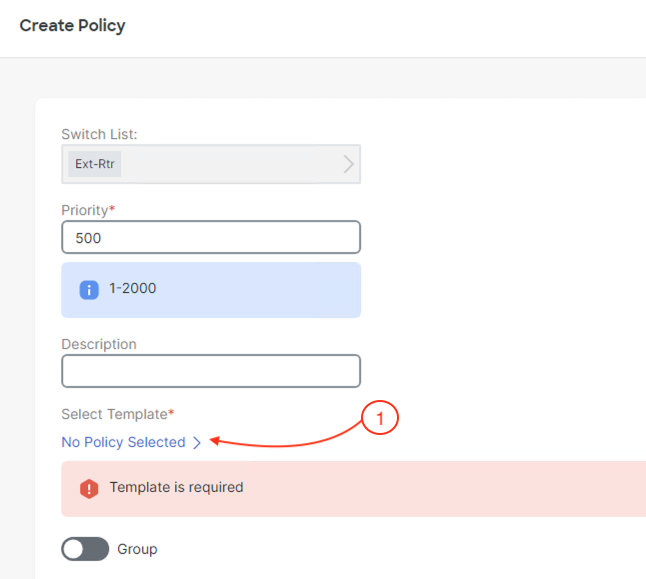
In the Create Policy Policy.
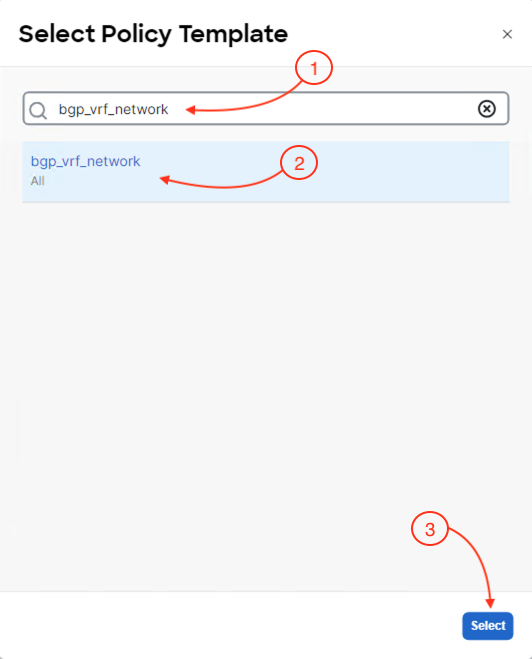
The Select Policy Template should come up. Search for the correct BGP policy template that provides the configuration for creating a BGP network statement in a VRF instance:
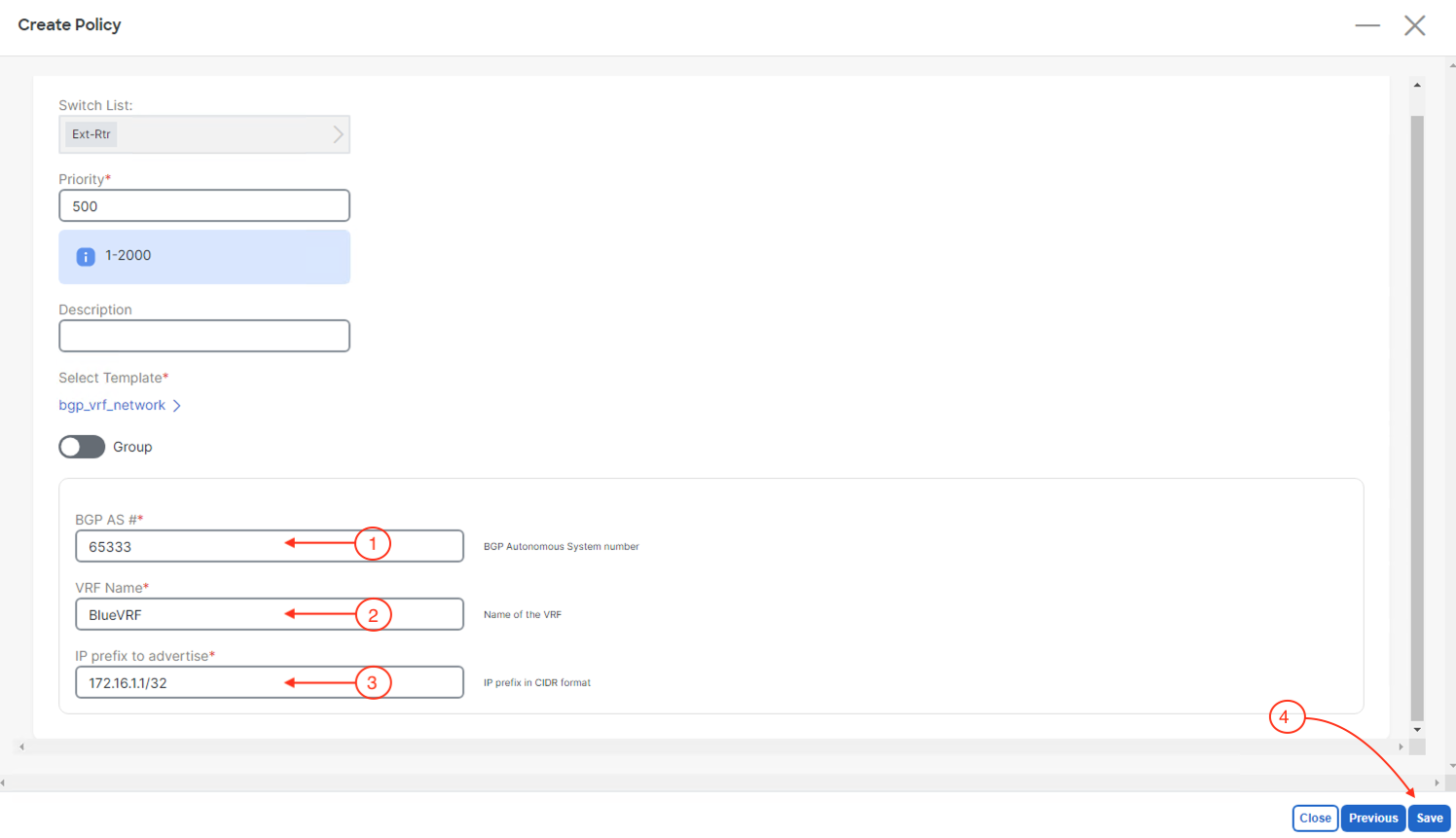
With the correct BGP policy selected to create a network statement in a VRF instance, you must provide configuration parameters that match your deployed external router:
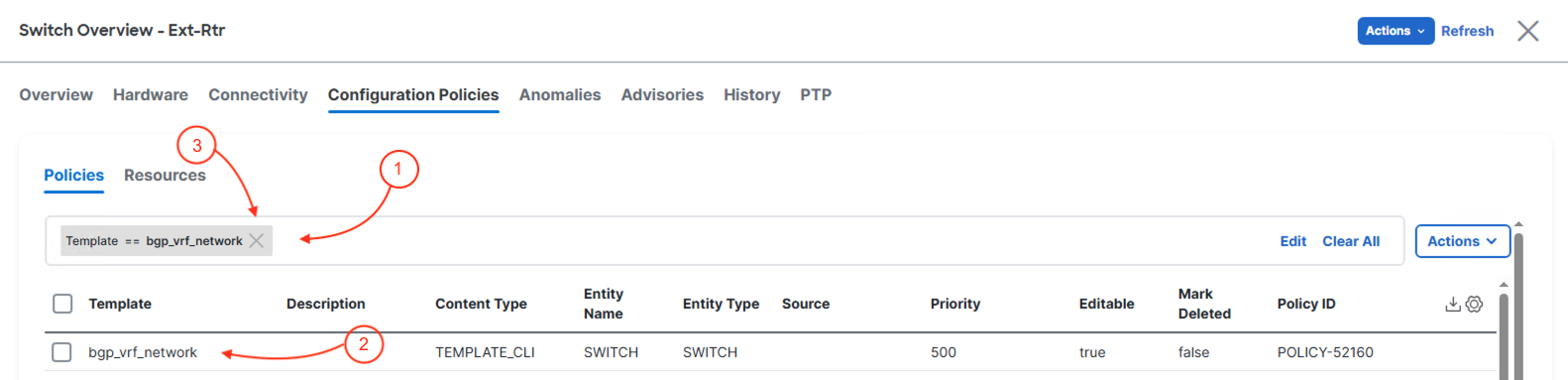
Back at the main Policies overview, locate the policy you created to confirm it is in the list: