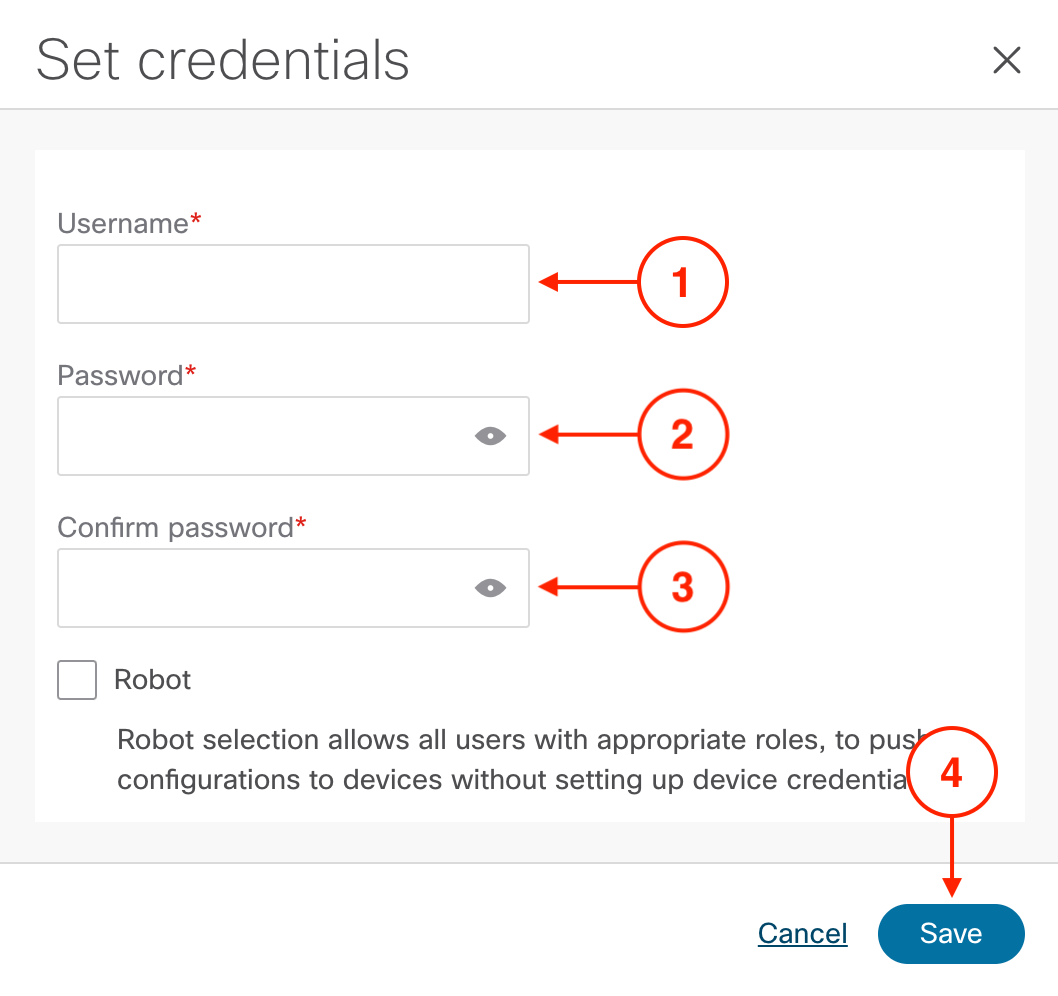
Configure default device credentials so Nexus Dashboard can communicate with all switches in your fabrics. Set it once, use everywhere — no need to configure access on each device individually.
Following RBAC configuration, establishing Device Credentials enables ND to manage and configure all devices in your lab environment. This is a critical Day 0 step that unlocks ND's automation capabilities.
Default Credentials should be set per user, meaning each user configures their own credentials for audit tracking. However, the Robot option allows a single account to be used for all deployments — useful when you want all configurations to appear as deployed by one service account rather than individual users.
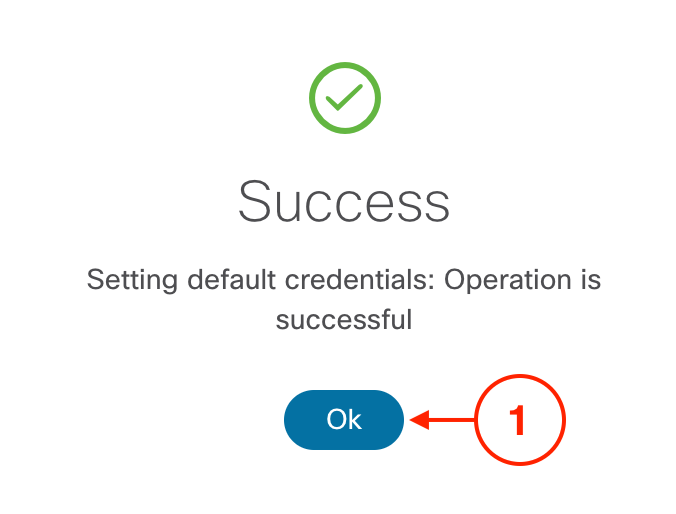
Acknowledge the success confirmation and verify that credentials are properly configured.
Confirm that the Default Credentials status now shows Default Set, indicating successful configuration.
Nexus Dashboard can now authenticate to all switches in your fabrics using these credentials. Every discovery, configuration push, and management operation will automatically use this credential set.