Set the appropriate role for your border gateway leaf to ensure proper fabric operation
When importing a Brownfield fabric, the same concept and rules apply for the switch roles. Nexus 9300 switches will default to the leaf role while Nexus 9500 switches will default to the spine role. There is no border leaf switch in this fabric, but there is a border gateway leaf switch that needs its role set appropriately.
Set the role of the border gateway leaf, Site2-BGW1, correctly:
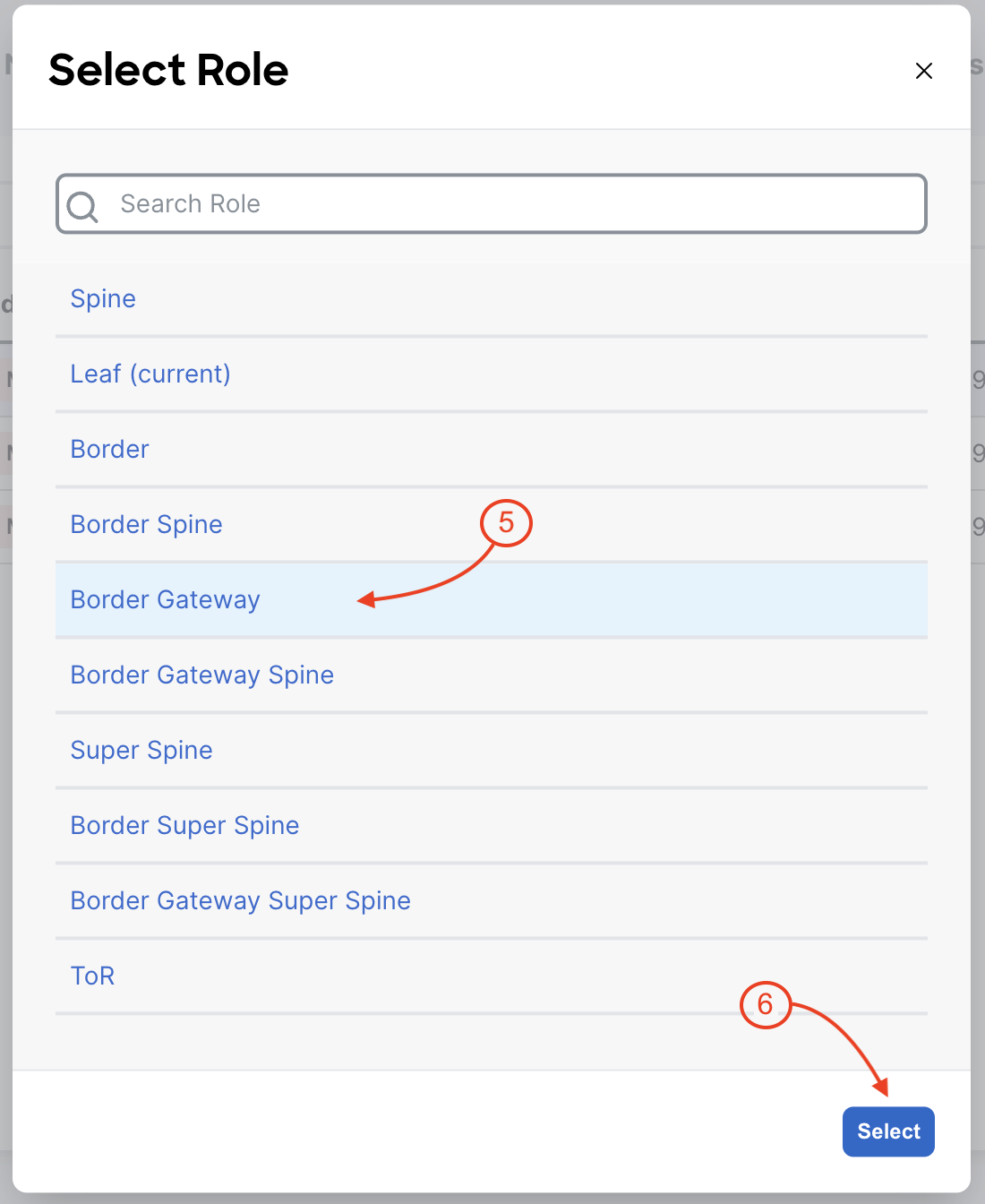
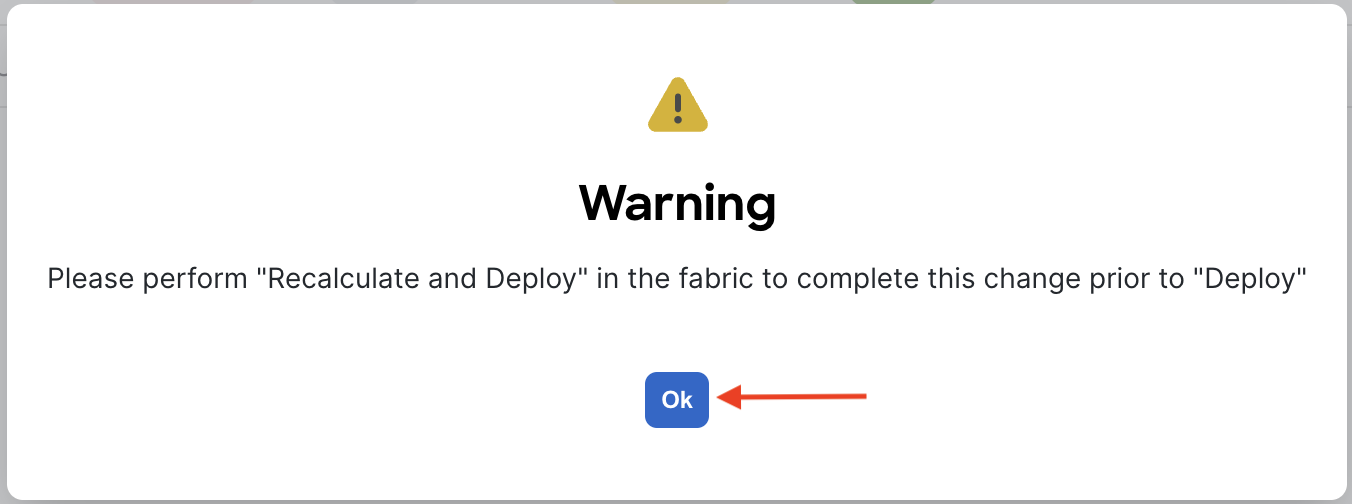
Review the switch roles that were automatically assigned by Nexus Dashboard and the role you set. Again, each switch role will serve a purpose in the type and amount of exact configuration required to be deployed to a given switch.
You assigned the Border Gateway role to Site2-BGW1, enabling multi-site connectivity for your brownfield fabric.
Role Assignment Highlights:
This demonstrates ND's flexibility in managing both new and existing network environments.
Please continue to the next section.
Nexus Dashboard (ND) is the Next-Generation of Data Center Network Manager (DCNM). ND is the network management platform for all NX-OS (Nexus switching) enabled deployments; spanning VXLAN EVPN fabrics and classic LAN architectures, IP Fabric for Media, and storage networking deployments for the Cisco Nexus-powered data center. This session will focus on the automated provisioning of VXLAN EVPN fabrics using the new workflow of ND. These workflows will be on best practice template-based provisioning capabilities with built-in configuration compliance and the myriad deployment scenarios. In this session, participants will learn to use ND to automate the provisioning of Greenfield and Brownfield VXLAN EVPN fabrics and external fabric connectivity using VRF-lite. Participants will also learn how to customize templates and policy to meet deployment requirements. Participants will further learn how to use Network as Code collection to automate VXLAN EVPN overlay configuration. Participants will achieve all this by following a concise lab that is focused on details, references, and more. The concepts from this lab can be leveraged for a production VXLAN EVPN fabric.
| Christian Capitan | ccapitan@cisco.com |
| Luis Flores | luflores@cisco.com |
| Cesar Obediente | co@cisco.com |