Deploy your overlay configuration to leaf switch interfaces following Cisco best practices.
In Nexus Dashboard, you can attach VRFs and Networks to leaf switches independently or combine the workflow: first create the VRF, then associate Networks to it, and finally deploy both together, following Cisco best practices.
You have already staged your overlay tenant VRF and two host Networks. Now, you need to attach these to the relevant leaf switches—specifically, to the Ethernet1/5 interfaces on Site1-L1 and Site1-L2, where your Linux hosts are connected.
During attachment, you select which interfaces (access or trunk) the Networks will use. For this lab, you'll attach both Networks to Ethernet1/5 on each leaf switch, enabling host connectivity to the VXLAN fabric.
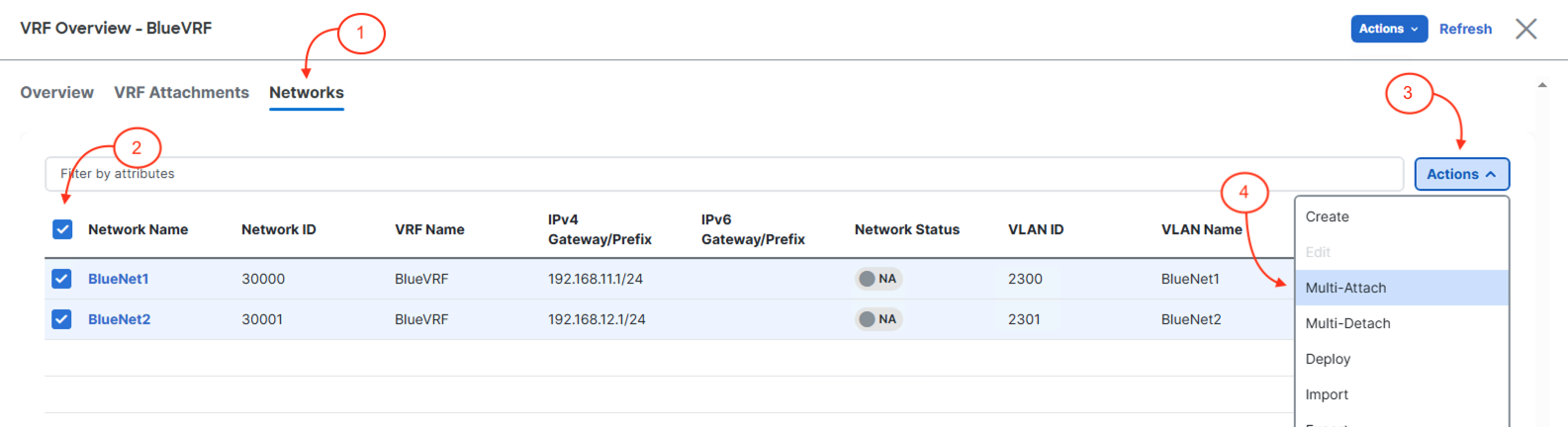
In the Edit Network Attachment - Site1 wizard:
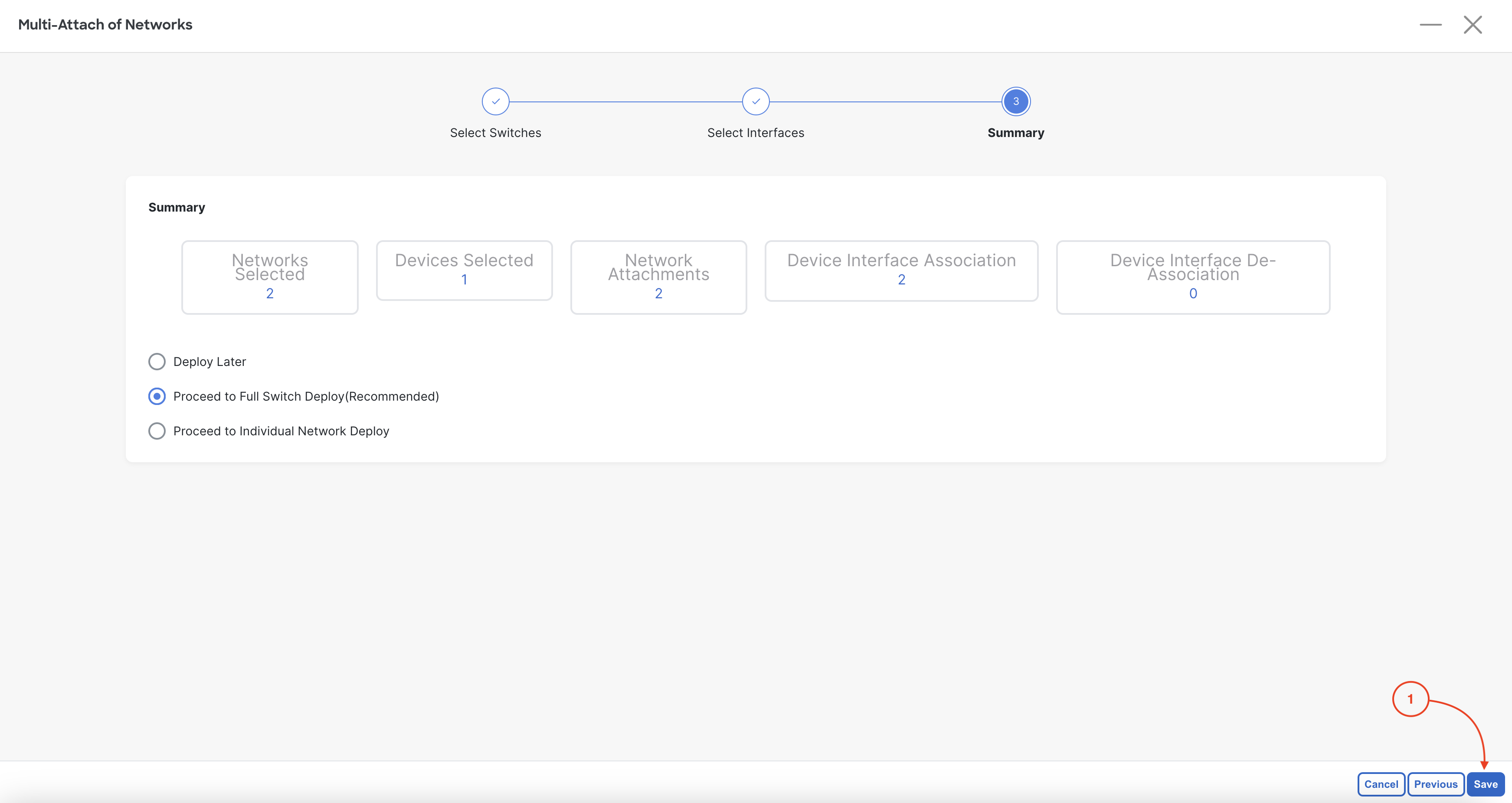
Confirm both BlueNet1 and BlueNet2 networks display as deployed: